


I have my version of how I take notes on this website somewhere but my kids are getting to that age where they will need to use Cornell Notes.
“The Cornell note-taking system is a widely-used note taking system devised in the 1950s by Walter Pauk, an education professor at Cornell University. Pauk advocated its use in his best-selling How to Study in College.
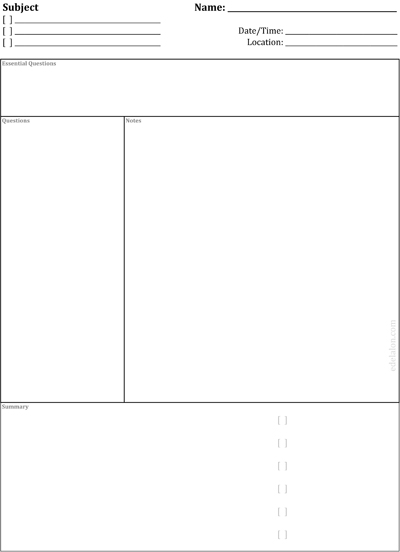
The Cornell method provides a systematic format for condensing and organizing notes. The student divides the paper into two columns: the note-taking column (usually on the right) is twice the size of the questions/key word column (on the left). The student should leave five to seven lines, or about two inches, at the bottom of the page.” -http://en.wikipedia.org/wiki/Cornell_Notes
Instead of doing this on lined paper, I decided to just make my own. To make this template, I used Microsoft Excel. Don’t laugh. Microsoft Excel is great where you know you’ll need solid lines. In fact, many of my templates start off in Excel then move to another graphic software when I run into limitations.
Cornell notes work. I’ve used it in the past. The only problem I have with it is that it doesn’t seem to utilize the entire sheet. In my template below, you’ll notice that I put some “check boxes” to formulate some kind of list…something like a summary of the summary.
Download:
Cornell Notes (PDF)



[…] it was all about. For years I’ve talked about best note-taking techniques and have given you free Cornell notes pdfs. This round, I’m hoping to take better notes and electronically manage the information. A […]